Key takeaways
- A chatbot answers questions. An AI agent plans and carries out multi-step tasks using your tools.
- The best first agent handles one narrow, high-volume workflow with a clear success measure.
- Guardrails — permissions, human approval and testing — matter more than which model you choose.
What is the difference between an AI agent and a chatbot?
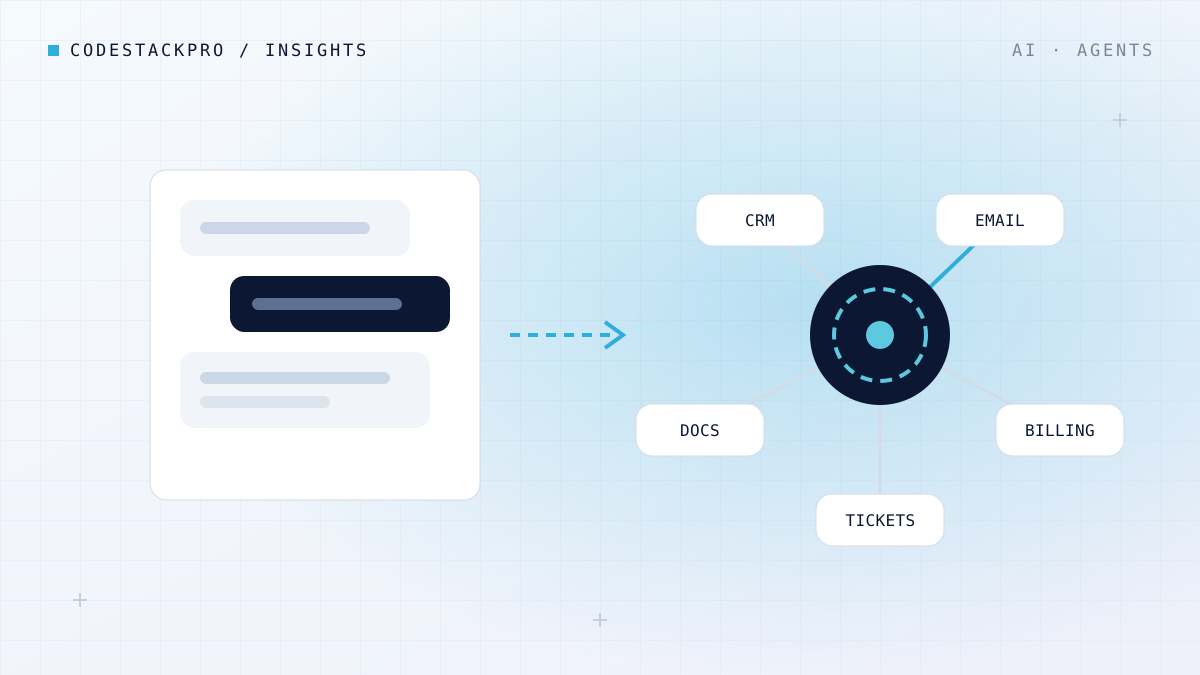
A chatbot responds to messages, usually by finding an answer in a knowledge base or generating one with a large language model (LLM). An AI agent receives a goal, breaks it into steps, decides which tools to use — a CRM, a database, an email service — checks the results and keeps going until the job is done.
Put simply: a chatbot explains how to issue a refund. An agent checks the order, confirms the policy, issues the refund, updates the CRM and emails the customer — and asks a person to approve anything above a limit you set.
When should a business use an AI agent?
- Repetitive work across several systems — order changes, onboarding, invoice reconciliation, lead research.
- Research and summarising — turning tickets, contracts or reports into structured findings.
- Internal operations — IT help desk, HR requests and purchase approvals.
If the job is mostly answering questions from documentation, a well-built retrieval-augmented generation (RAG) assistant is usually cheaper, faster and easier to govern.
How do you keep AI agents safe?
We give agents only the access they need, require human approval for sensitive actions, log every step, and test each release against hundreds of realistic scenarios. We also cap spend per task so costs stay predictable.
The best first agent is boring: one workflow, clear inputs, a measurable outcome and a person who can say yes or no.
How much does an AI agent cost?
A focused proof of concept typically takes three to six weeks. A production agent with several integrations, testing and monitoring usually takes eight to sixteen weeks. Running costs combine model usage — often cents per task — and ongoing maintenance. We always estimate the return (hours saved, tickets avoided, revenue recovered) before recommending a build.
How to get started
- List workflows that are frequent, rules-based and touch several tools.
- Choose one with a clear metric such as time per task or error rate.
- Prototype on real data in a safe environment and measure the results.
- Roll out to a small group with human approval, then expand.
Want help choosing your first use case? Our AI Solutions team runs two-week discovery sprints for exactly this.